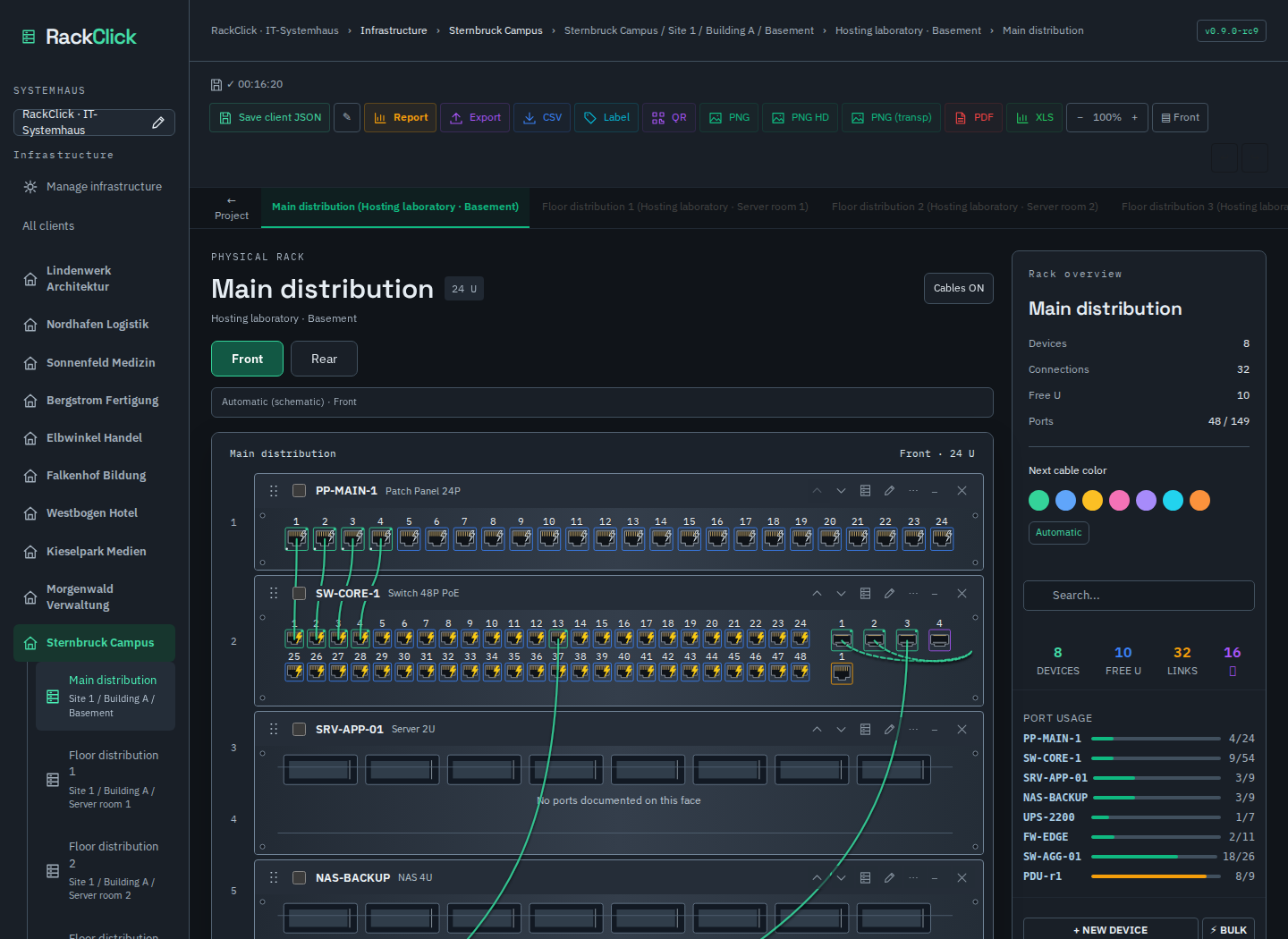
Open the online demo
Open the interactive app with synthetic customer data. Keep your own external JSON backup.
Document racks, cables and PoE where the work happens. RackClick runs from one HTML file, with no installation, account or internet connection needed for the downloaded app. Built for network technicians.
From the workstation to the switch, through the firewall to the Internet. Follow the pulse and discover the idea behind RackClick: make your equipment connections visible.
See the physical layout, follow a cable and record the details that the next technician needs. No subscription or server is required for the offline edition.
Organise separate customer infrastructures under your Systemhaus. Open a customer, then a rack, without mixing their inventories.
Front and rear views, cable colours and notes, port states, PoE and documented watts. These are documentation values, not live measurements from the equipment.
Autosave status and storage warnings, snapshots and rescue tools help protect your work. Export JSON backups regularly: browser storage alone is not a backup.
Customer and rack reports, printable rack labels, CSV exports and JSON backups. Print reports or save them as PDF through your browser.
Switch the interface language between English, German and Spanish. Customer names and technical notes you enter remain exactly as written.
The downloaded HTML includes its dependencies and fonts. To move your work to another PC, take the HTML and an exported JSON backup. Copying the HTML alone does not copy browser data.
Choose device presets, create your own templates and place equipment at the right rack unit. Add names, serial numbers and the notes you need.
For a normal connection between compatible, free ports: click the first port, then the second. Reserved ports ask for confirmation; disabled and faulty ports block a new connection.
Export the JSON, hand it to a colleague and load it in the same release on another PC. There is no automatic synchronisation or simultaneous multi-user editing in this offline edition.
Open the interactive app with synthetic customer data. Keep your own external JSON backup.
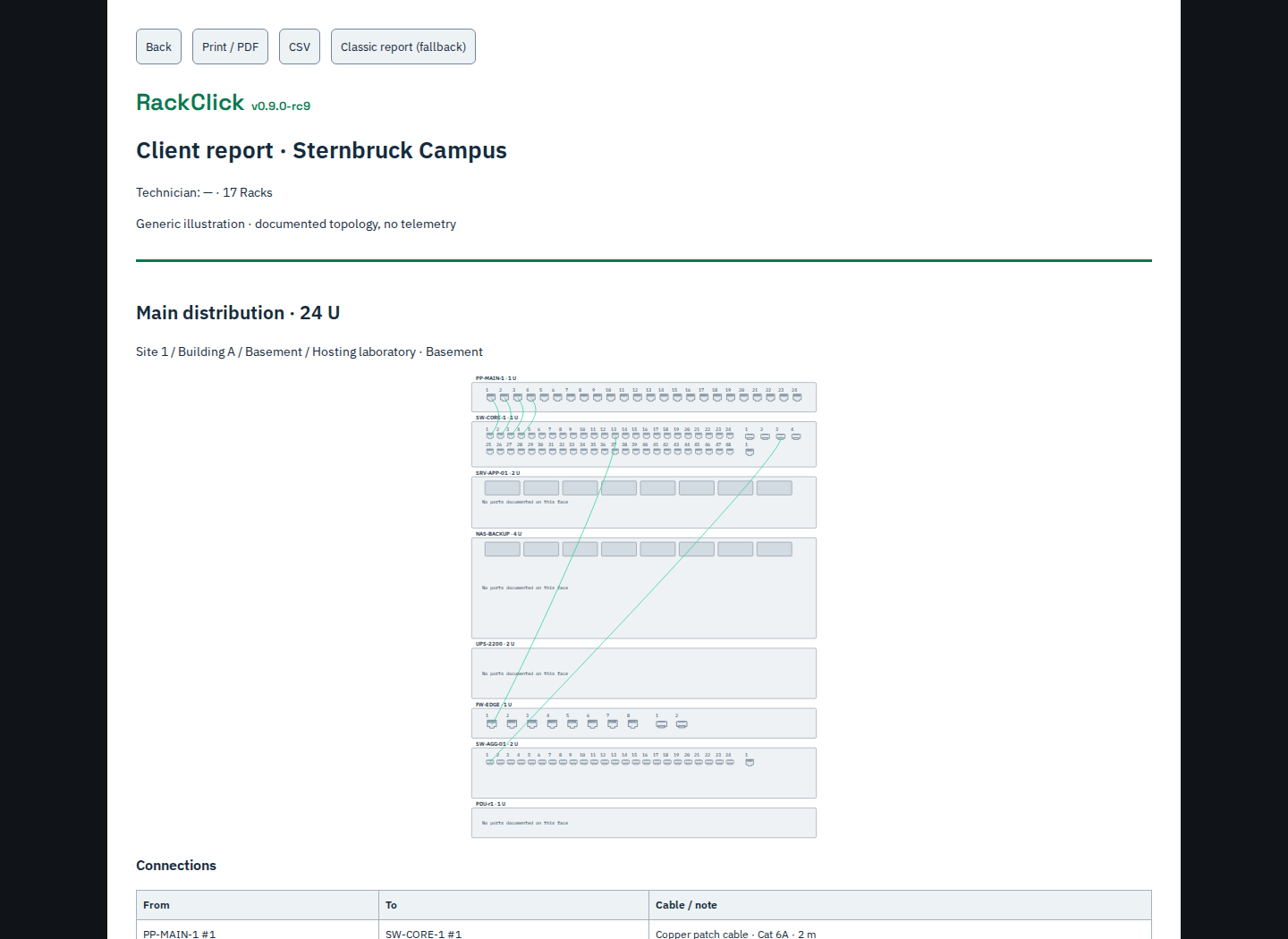
Follow the visual manual, with screenshots and step-by-step checks.
The hosted demo needs internet to load. Project data is stored in your browser, not in a RackClick customer database. The hosting provider receives normal page requests. Browser storage can be cleared: export before changing browser, file or device.
RackClick started with a frustration in a server room: recording cabling before and after changes, keeping track of what still needed doing, and checking that nothing was left disconnected. Undocumented PoE devices made later troubleshooting harder.
Wascar began the project while completing his IT training in Germany, building on his experience and studies in the Dominican Republic. More than seven months of work shaped a simple idea: make rack documentation visual, practical and close to the equipment in front of you.
The adopted offline build keeps its exact identifier: v0.9.0-rc9. Download it, keep a backup and open it locally in your browser.
A server edition for IT service providers and Systemhäuser is planned. The aim is central customer data, users, editable groups and scoped read/write permissions, accessed through a browser.
Explore the manual and the release documentation. The source package is available here; a public GitHub repository is not yet linked.
React 18single-filelocalStoragePlaywrighti18n EN·DE·ESI created RackClick to work directly in your browser, even offline. The offline edition needs no installation or account.
SHA-256 · 63a60c4b52360211e1ae90b2e38541dc76bf372007219868e7c203af9223ea96
View the RC9 offline HTML report
I share the VirusTotal report for the downloadable file and its SHA-256 fingerprint so you can check what you download. I also publish the source code so you can review how RackClick works.